NuevoLive
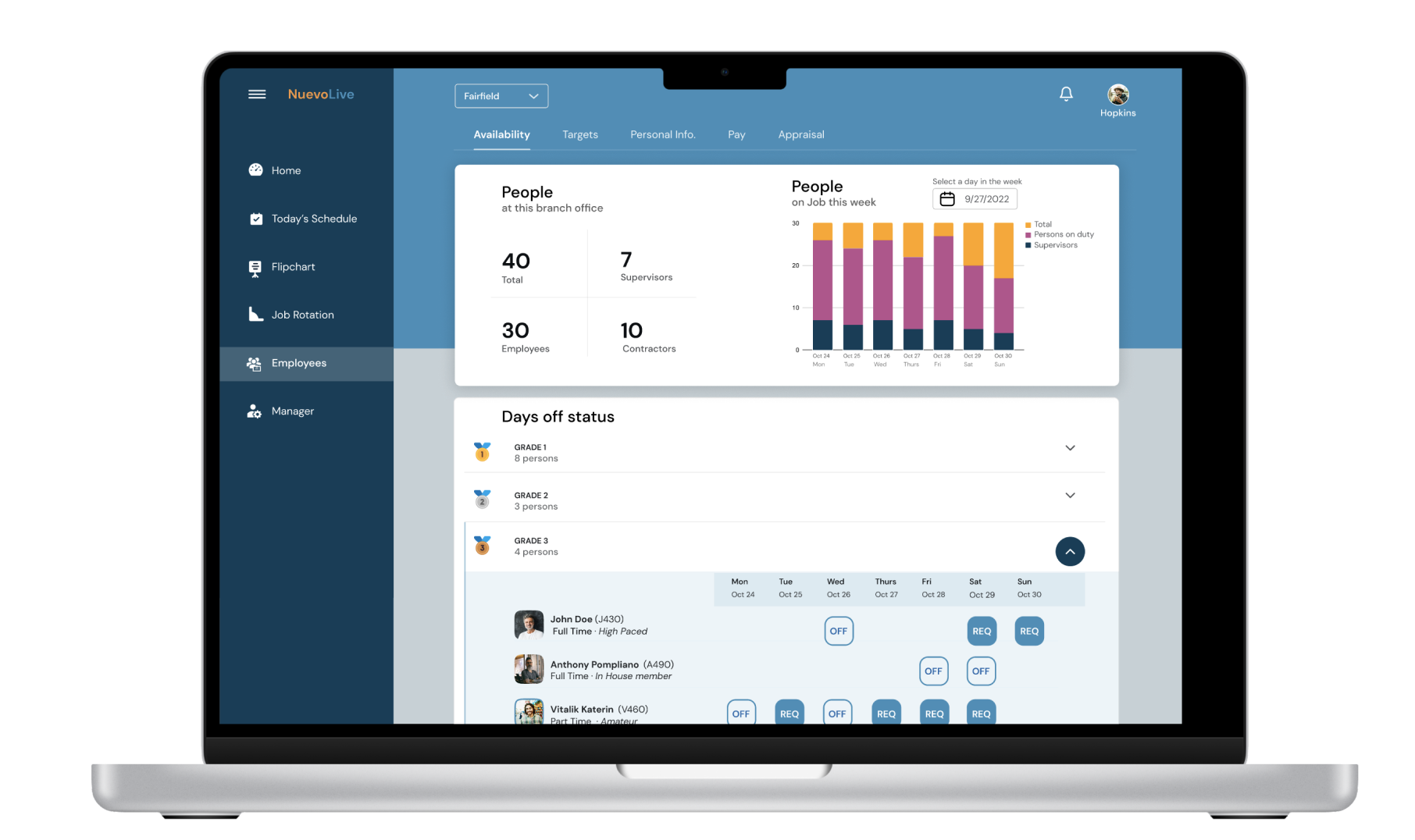
NuevoLive is web app for a Logistics firm
Duration
UI Designer and UX Researcher
My Role
2019 - 2021
User Research
Discussing with Product manager to understand the business goals and user needs.
Wireframes
using Justinmind
High Fidelity
using Figma
Project Background
The goal was to design a web application that addresses the challenges faced by the company relying on spreadsheets for booking jobs and employee management. The emphasis was on creating a user-friendly interface that enhances collaboration, scalability, and data accuracy.
Challenges with legacy app
- Manual errors lead to potential inaccuracies in job details and employee information.
- Limited real-time collaboration posed challenges for simultaneous updates.
- Version control difficulties resulted in confusion and potential data discrepancies.
- Security concerns stemed from a lack of robust features, risking unauthorized access.
Goals
- To conduct UX research to understand Store Manager and admin needs to understand pain points, and workflows. To design an intuitive and responsive interface to implement features for real-time collaboration and data validation.
- Prioritize security measures to protect sensitive information.
- Optimize scalability for future business growth.
- By transitioning from a spreadsheet to a purpose-built web application, the aim was to streamline operations and provide a more reliable platform for Store Managers and admins.
Research
I chose Diary studies as an effective UX research method for understanding long-term user behavior and experiences.
Objectives while planning Diary Studies
- Clearly outline the goals of the diary study. For instance, understanding how store managers and admins interact with the spreadsheet application system for a specified period to identify pain points.
- Select a diverse group of store managers and admins to ensure varied perspectives, considering factors like experience level, job responsibilities, and usage frequency.
- Develop a structured plan outlining the duration of the study, frequency of entries, and specific tasks or observations required.
- Ensure it aligns with the natural workflow of the participants.
Conducting Diary Studies
Provided guidelines for what participants should document. Encouraged them to record both positive and negative experiences. Allowed participants to choose their preferred medium for documentation - text, images, videos, or even voice recordings. Scheduled periodic check-ins with participants to answer questions, clarify doubts, and ensure they are engaged.
Analysis
After the diary study concluded, performed a thematic analysis to identify recurring patterns, and trends. Looked for insights related to how store managers and admins interact with the crew assignment and employee records features.
Results
Used the insights gained from the diary study to inform iterative design. Validated design changes with the same participants and a new set of users. Ensured that the improvements aligned with the expectations and needs identified during the diary study. Shared the findings and design implications with stakeholders, providing evidence-backed recommendations for improvements.
User Flow
Booking a job and assigning a crew to it.
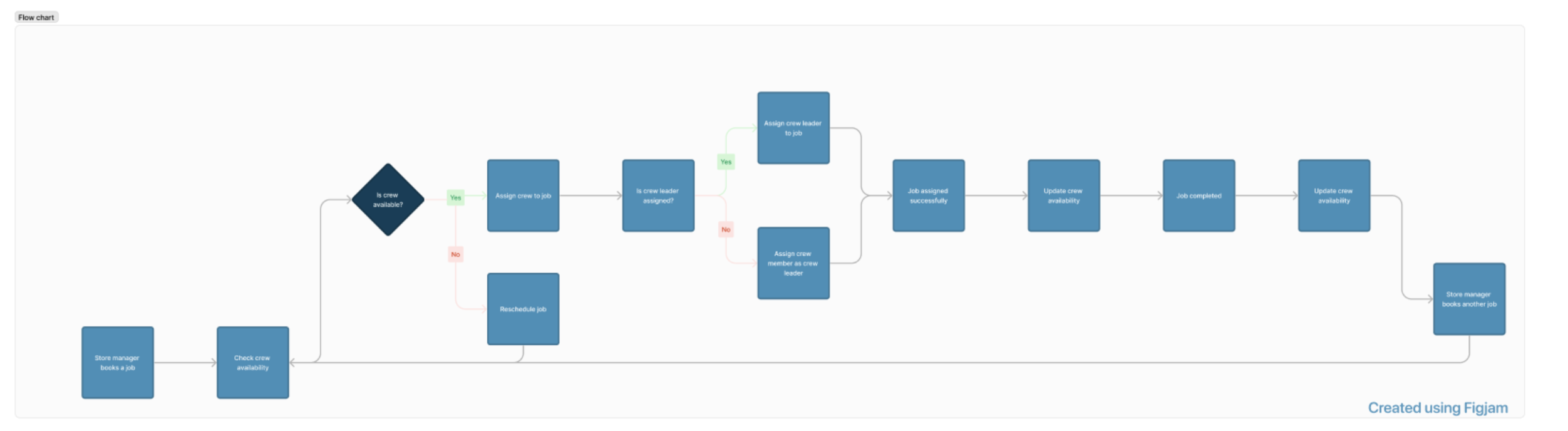
- Upon login, the Store Manager is directed to the dashboard displaying an overview of upcoming jobs, crew availability, and job assignments.
- The Store Manager selects the "Book Job" option to initiate the job booking process.
- The system prompts the Store Manager to enter essential job details, such as client name, job type, date, and location.
- The Store Manager is presented with a list of available crews along with their details, including skills and availability.
Dashboard
Job Booking Initiation
Job Details Entry
Crew Selection
- The Store Manager selects the appropriate crew for the job based on availability, skills, and workload considerations.
- After crew selection, the system displays a summary of the job details and crew assignment for confirmation. Automated notifications are sent to the assigned crew members and other relevant stakeholders.
- The web application updates the job schedule, reflecting the newly booked job and crew assignment on the dashboard.
- The Store Manager can track the status of the booked job, including crew check-in/out times and job completion updates.
Crew Assignment
Confirmation and Notifications
Job Schedule Update
Job Status Tracking
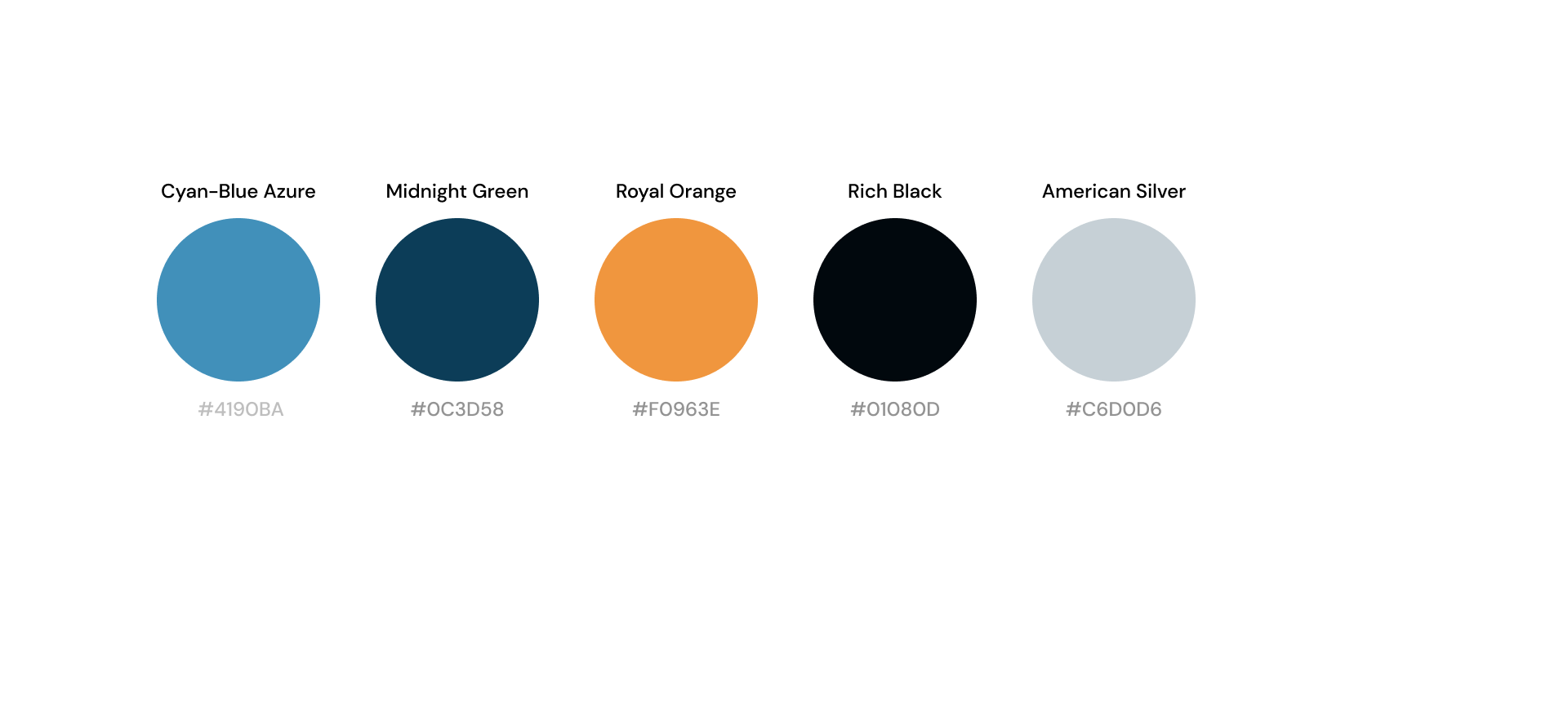
Color Scheme
Dashboard
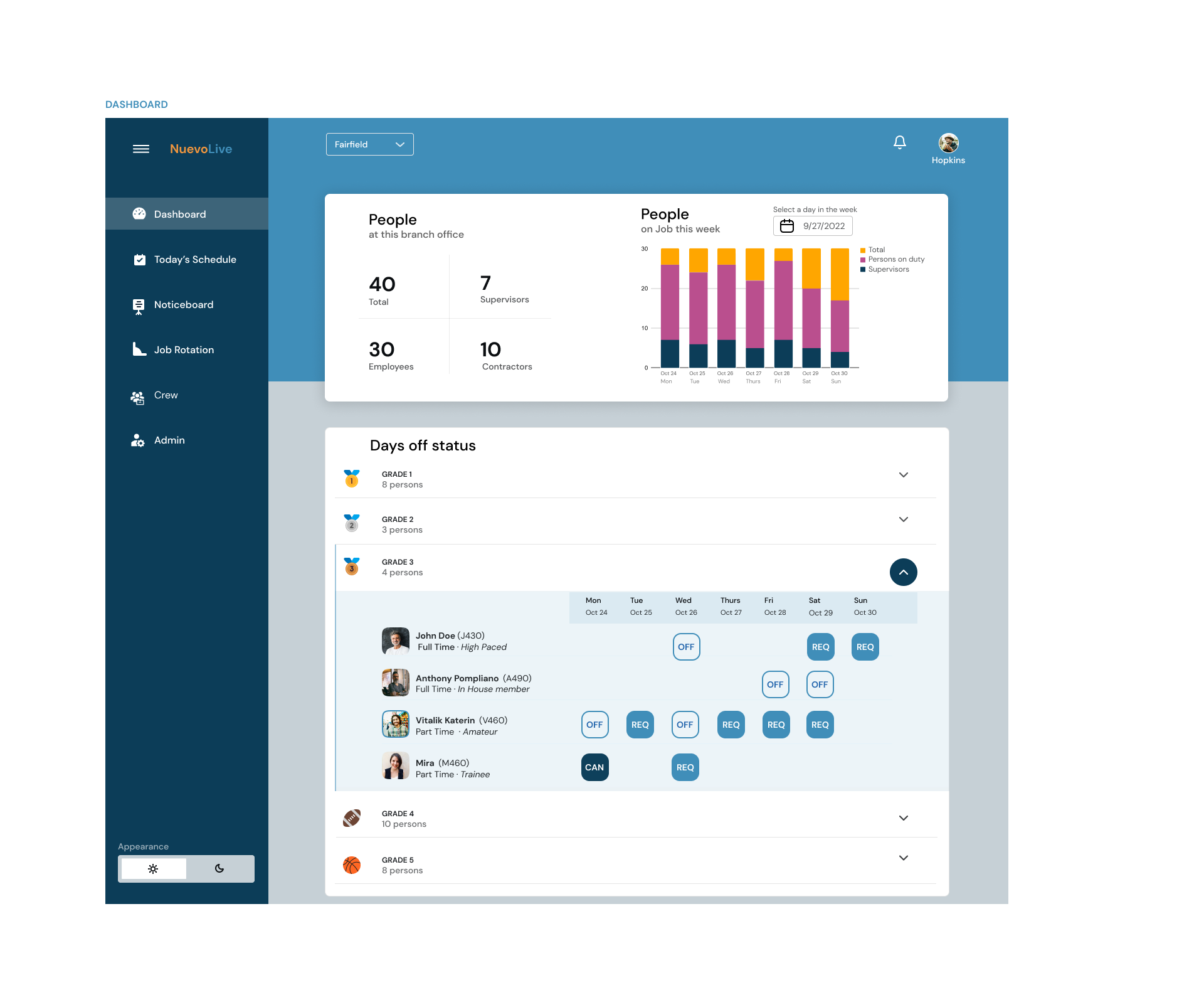
Employee Overview Screen
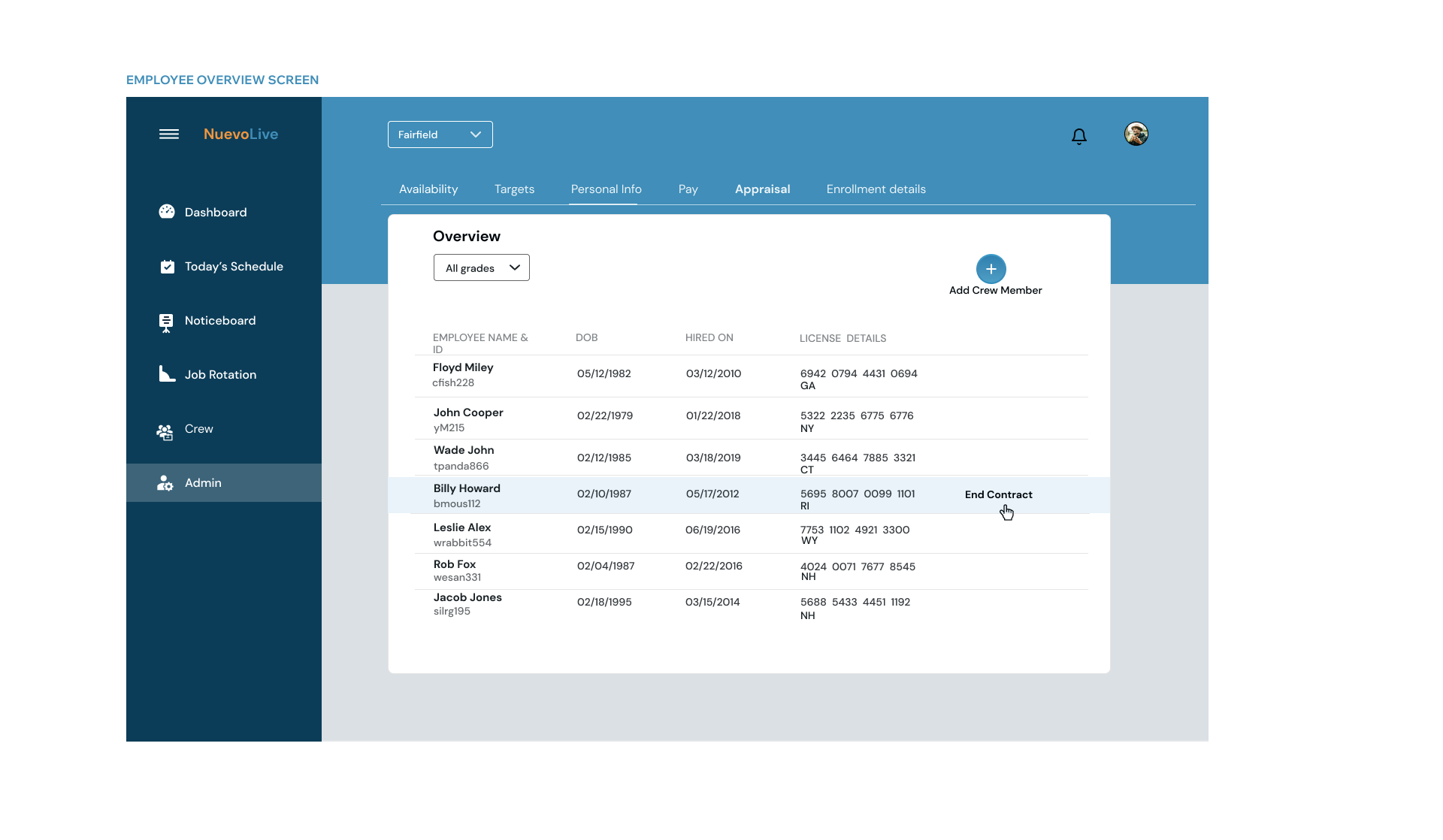
Employee DayOff Screen
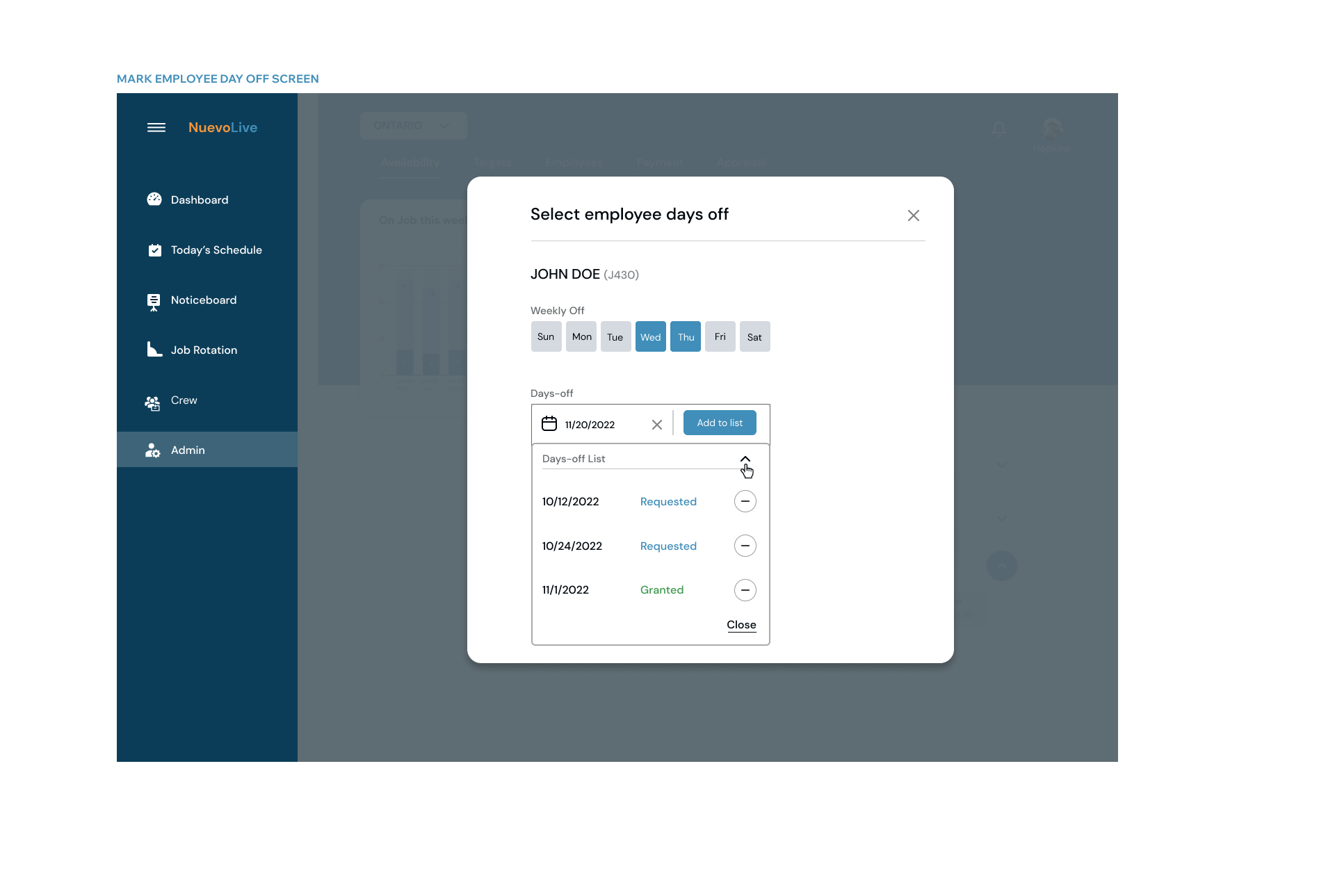
Overview of completed Goals
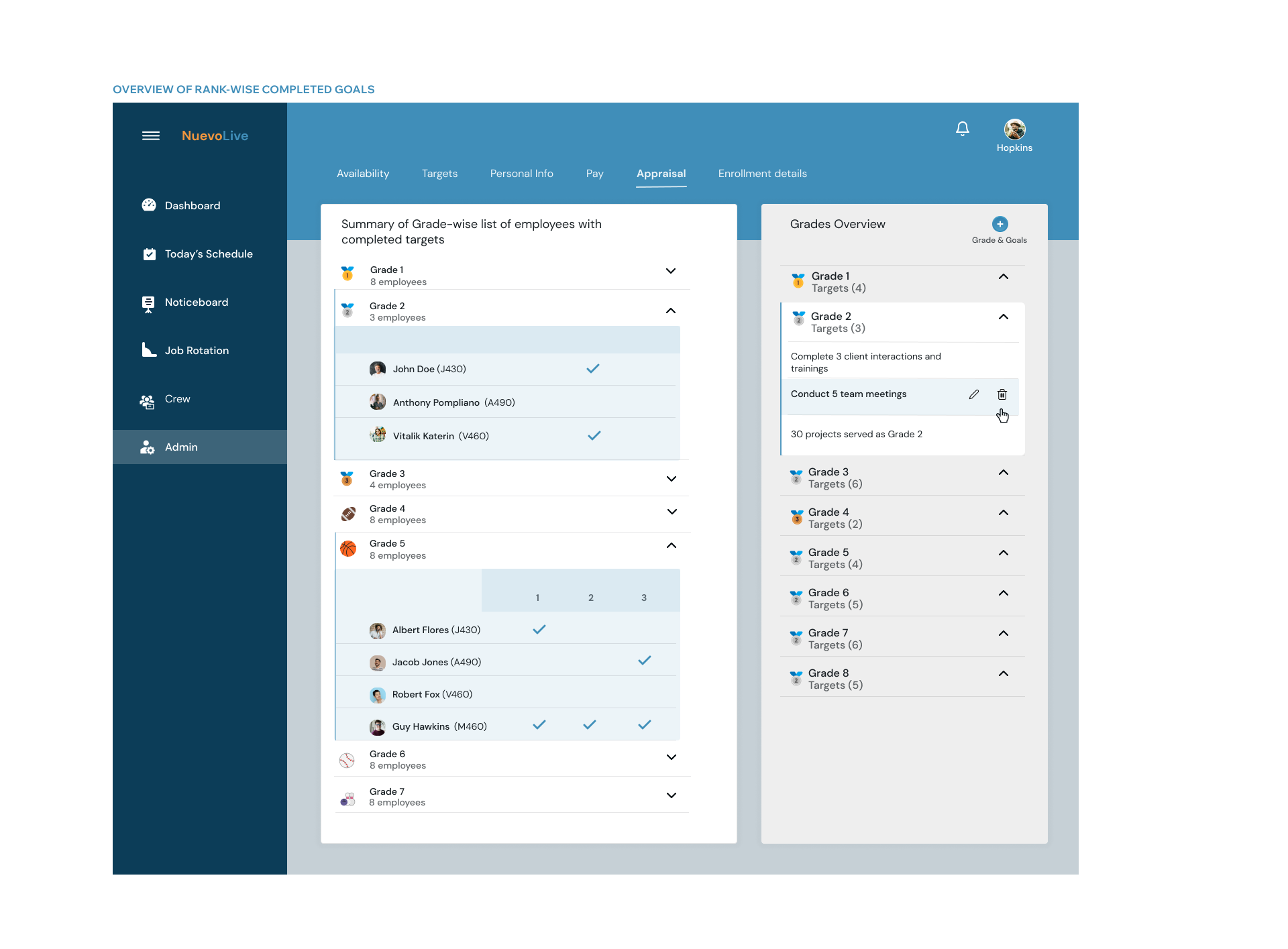
Overview of Daily Jobs
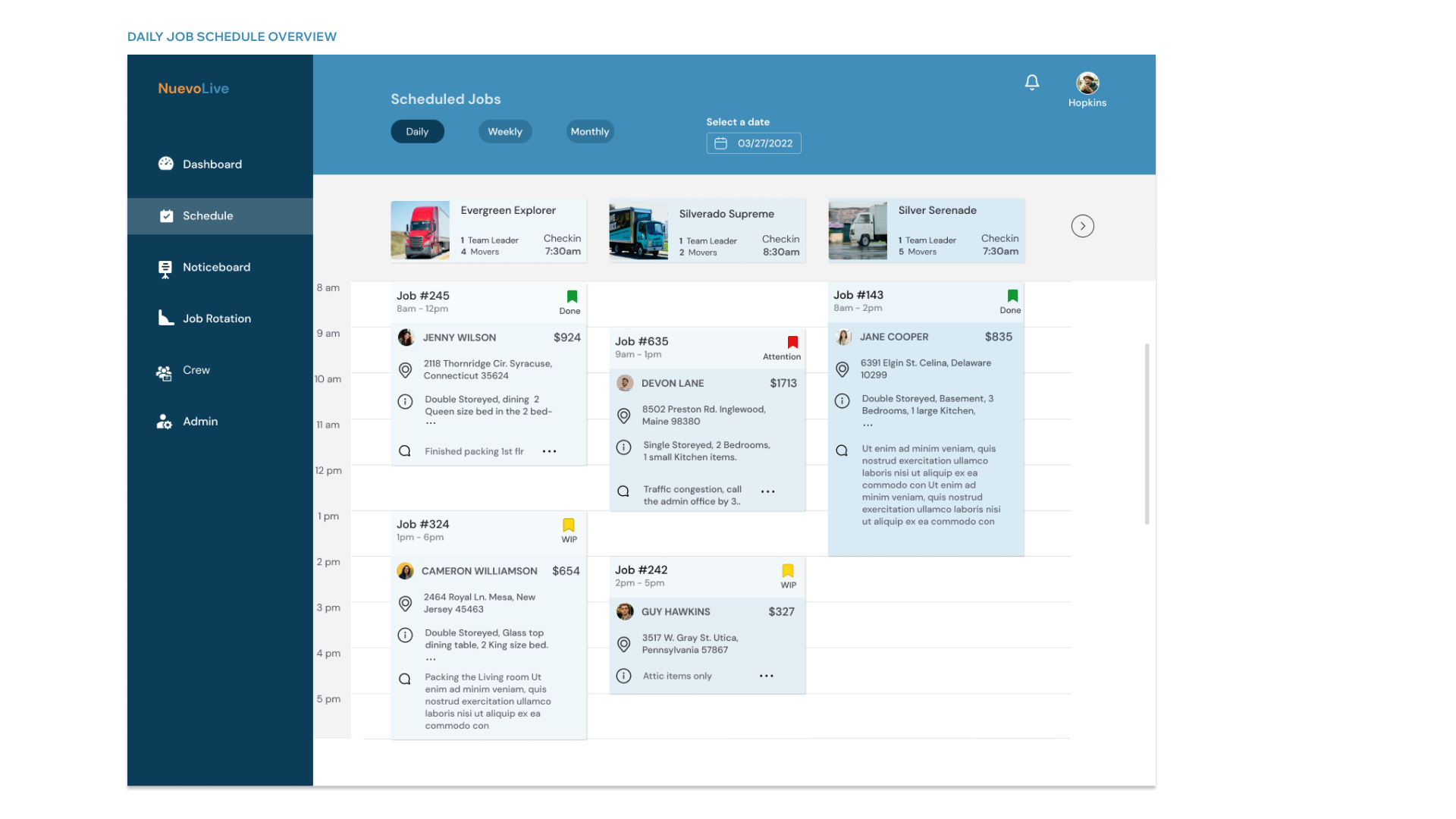
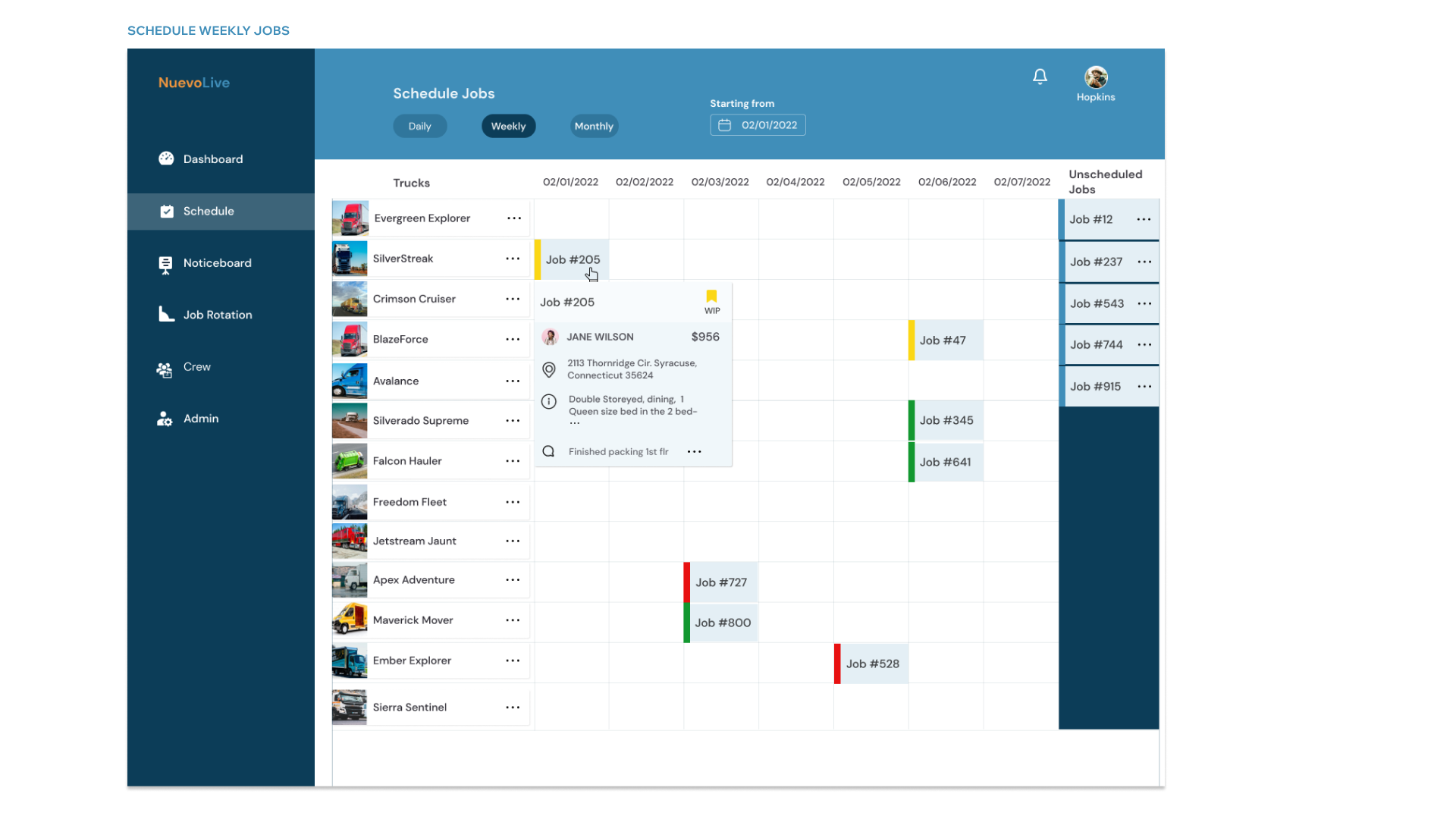
Schedule Weekly Jobs
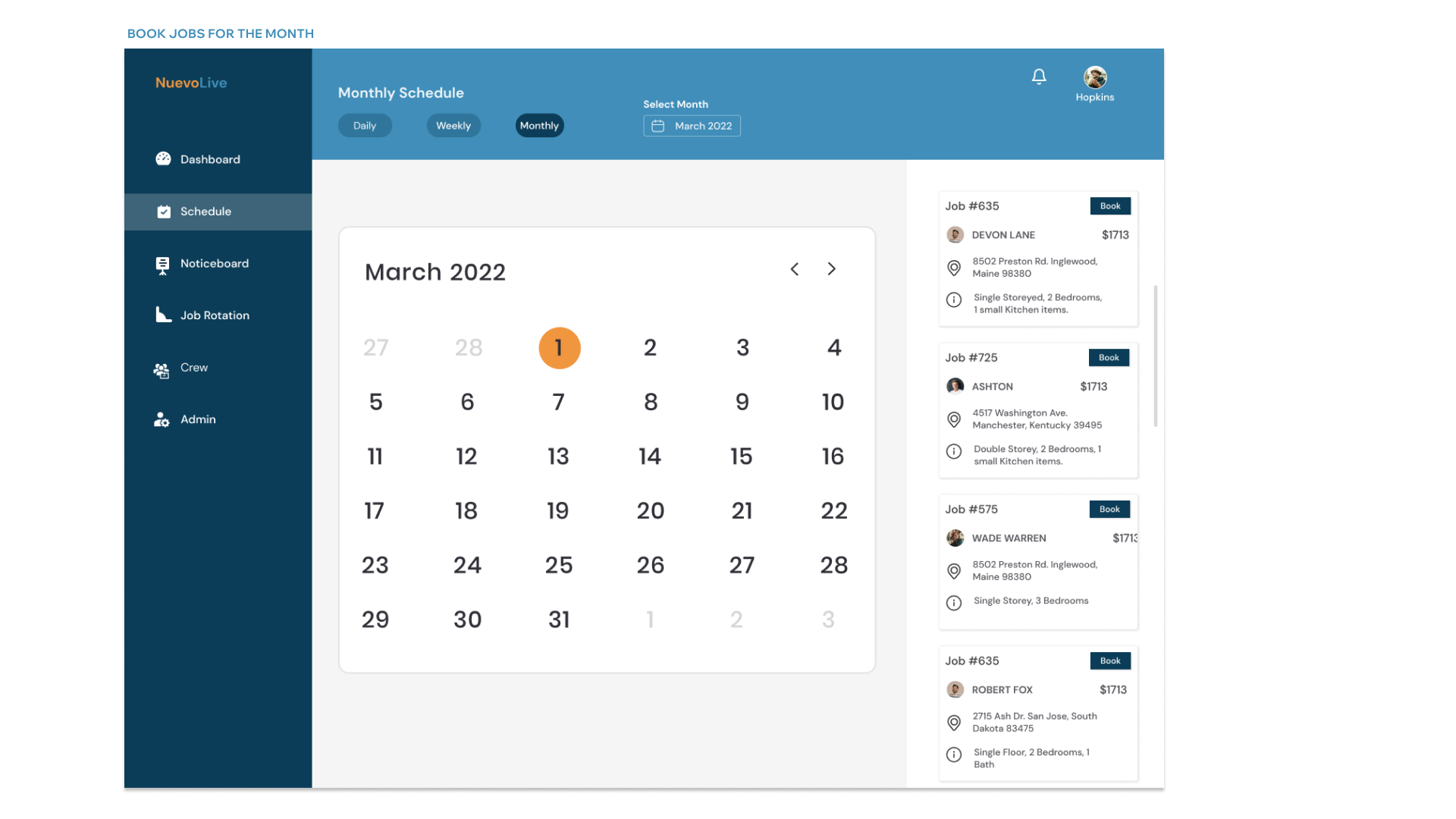
Book Monthly Jobs
Outcome
The UX research, User flow diagrams were released in the time span of just one month. A lo-fi prototype was delivered a month later. Thanks to the really responsive team, we were able to validate the UX flows bi-weekly. After few iterations, a hi-fi prototype with more than 40 screens were delivered to the dev team in 2 months time.
Achievements
The implementation of the React JS web app yielded substantial improvements in task completion times for Store Managers and Admins, demonstrating a significant boost in efficiency. Store Managers experienced a 50% reduction in time for booking jobs, managing crew assignments, and updating employee records. Admins also witnessed a consistent 57% enhancement across all tasks. These compelling percentage improvements indicate a tangible increase in productivity and efficiency, showcasing the success of the web app in streamlining operations and optimizing the user experience for the store managers and admins in the company.